
Don't Turn AI Into Another IT Queue
Author
Date Published
Don't Turn AI Into Another IT Queue
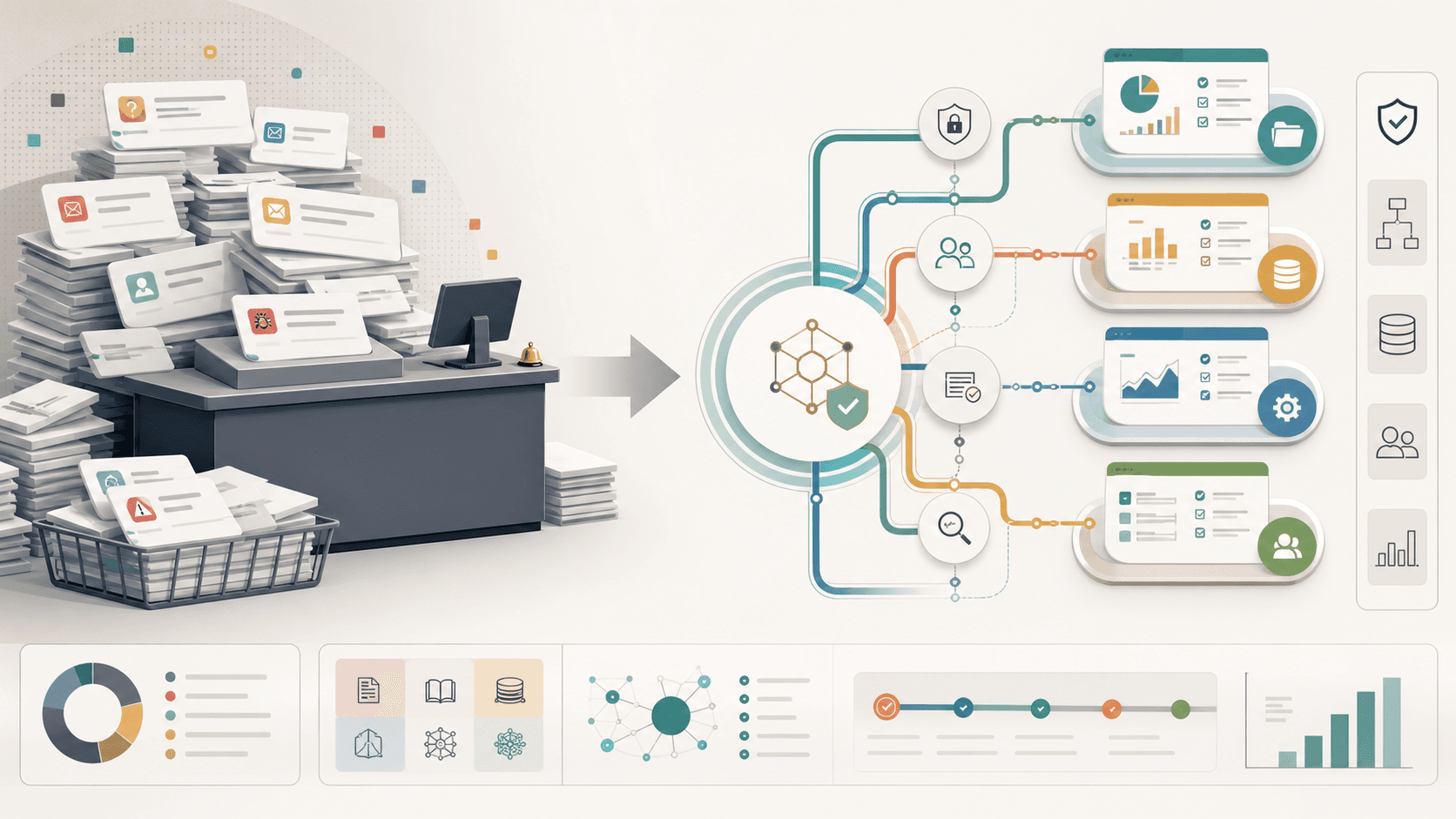
Most companies do not fail at AI because employees are uninterested. They fail because adoption gets trapped between two bad options: unmanaged experimentation or centralized request queues.
In one version, employees copy company context into private prompts, wire together one-off automations, and quietly build workflows the business cannot see. In the other, leadership creates an AI team, approves a short list of tools, and routes every serious idea through a new service desk. Both models are understandable. Neither creates an AI-enabled company.
The better model is an AI Operating Layer: shared context, governed access, reusable interfaces, training, observability, and review checkpoints that let employees safely build automations, workflows, agents, and internal tools close to the work itself.
Centralize the rails. Distribute the capability.
The Pressure To Formalize AI
AI adoption usually starts informally. Someone uses a chatbot to summarize a meeting. Someone else builds a spreadsheet helper. A manager asks for a research pass. A developer experiments with code generation. A support lead drafts responses faster than before.
At first, this looks like scattered productivity. Then the surface area expands. People start asking harder questions:
• Which tools are approved?
• What data can employees use?
• Who owns automations once they matter?
• How do we know outputs were reviewed?
• What happens when a workflow touches customers, money, legal commitments, production systems, or security-sensitive context?
Those are real governance questions. The mistake is answering them only with centralization.
The reflex is familiar: create an AI function, restrict tooling, collect requests, prioritize a backlog, and assign specialists to build solutions for the rest of the company. That creates visibility and control, but it also recreates the same bottleneck every operating team already knows from IT, data, RevOps, and internal tooling.
Do not turn AI into another IT queue.
Sanctioned Tools Are Not An Operating Model
Buying approved AI tools is useful. It is not the same as having an operating model.
A sanctioned chatbot gives employees a place to ask questions. It does not automatically connect to the actual context of the company. It does not explain which systems it can read from or write to. It does not teach teams how to turn repeated work into governed workflows. It does not create review paths, reusable patterns, permission boundaries, or shared memory.
This is where many companies stall. They move from "no AI" to "approved AI" and assume the adoption problem is solved.
But employees do not just need a prompt box. They need a way to safely apply AI to the shape of their real work.
That means context. It means access. It means examples. It means a path from experiment to durable workflow. It means knowing when a human must approve, edit, escalate, or stop the system.
Shared context beats scattered prompts.
The Service Desk Trap
Central AI teams often start with good intentions. They want to prevent chaos, protect data, avoid duplicate tooling, and make sure important workflows are built well. Those are valid goals.
The trap appears when the central function becomes the only place where AI work can happen.
A department head sees a process that could be automated. They file a request. The AI team asks for more detail. The request waits behind higher-priority work. Weeks pass. By the time the solution is built, the process has changed, the team has found a workaround, or the people closest to the problem no longer trust the system to move at the speed of operations.
The bottleneck has not disappeared. It has shifted.
That pattern showed up repeatedly in RaidGuild's June fireside conversations with builders and operators working at the edge of AI adoption. In one session, Graven described how AI changed software work by making implementation faster, then shifting pressure onto testing, documentation, business logic validation, product judgment, and production readiness. In another, Bill W described a product workflow where PRDs, tickets, and handoffs compress into rapid prototypes, while judgment around architecture, scope, security, and production readiness becomes more important. Travis described a consulting engagement where the useful work began with understanding how people actually work, cleaning up data and process foundations, then building an MCP-connected workflow layer around Microsoft 365.
The common thread is not "AI removes the need for operators." It is the opposite. AI changes where operators are needed. The doer becomes a reviewer, orchestrator, tester, pattern-builder, and decision-maker.
If every new workflow has to wait for a centralized AI team, the company misses the point.
Shadow AI Has Two Forms
Leaders often worry about shadow AI. They should. But shadow AI is not one thing.
There is deep shadow AI: employees using unapproved tools with sensitive company data, building workflows nobody can inspect, and making decisions without logging, review, or permission boundaries. This is the obvious risk.
There is also shallow shadow AI: employees technically using approved tools, but doing so in isolated, low-leverage ways. They prompt from scratch. They paste partial context. They keep useful workflows private. They repeat manual setup every time. Nothing becomes reusable. Nothing compounds.
Deep shadow AI creates security and governance risk. Shallow shadow AI creates organizational waste.
A centralized queue does not solve either one by itself. It may reduce some unmanaged usage, but it often leaves employees dependent on specialists for every meaningful improvement. People either wait, give up, or route around the system.
The better question is: what would make safe AI use easier than unsafe AI use?
The Better Model: An AI Operating Layer
An AI Operating Layer is the organizational infrastructure that lets employees build with AI safely and repeatedly.
It is not a single app. It is a set of rails:
• Shared context: indexed documents, policies, meeting notes, process knowledge, customer context, product context, and operational history that employees and agents can retrieve without copy-paste archaeology.
• Governed access: clear permissions for which tools, APIs, MCP servers, datasets, repositories, and business systems can be used for which workflows.
• Reusable interfaces: approved connectors, templates, prompt patterns, skills, workflow steps, and internal APIs that let teams build on common primitives instead of starting from scratch.
• Training: practical enablement that teaches employees how to identify good use cases, structure context, evaluate outputs, and know when to stop.
• Observability: logs, artifacts, version history, source links, and review trails so the organization can understand what happened after the fact.
• Review checkpoints: human approval for customer-facing, financial, legal, production, security-sensitive, or brand-sensitive outputs.
This is the difference between sanctioned tools and agent-ready operations.
A sanctioned tool says, "You may use AI here."
An operating layer says, "Here is how your team safely turns repeated work into a workflow, how that workflow gets context, who can run it, what it can touch, what gets logged, and where humans review it."
The Employee Empowerment Flywheel
The flywheel starts when employees can safely build.
An employee notices a repeated process. They use approved context and tools to create a small workflow. They run it with review. The output improves. The pattern gets documented. Another team adapts it. The central AI function turns the pattern into a reusable template, connector, or training example. More employees start from a better baseline.
This is how AI becomes an operating capability distributed across the company.
Every employee does not need to become a software engineer. But every employee can become a power user in their domain. The support lead should be able to improve a ticket workflow. The finance analyst should be able to automate reconciliation prep within approved boundaries. The operations manager should be able to turn a recurring status meeting into structured follow-ups. The product manager should be able to prototype an internal tool that engineers can later harden.
This is not a free-for-all. It is governed empowerment.
The center provides the rails. The edge provides the use cases.
What The Central AI Function Should Actually Do
The goal is not an AI department that builds everything.
The central AI function should own the operating layer, not every solution. Its job is to make safe distributed building possible.
That means:
• Set policy for data, tools, approvals, and risk tiers.
• Maintain shared context and retrieval systems.
• Provide approved connectors and interfaces to core business systems.
• Create templates for common workflows.
• Train employees on practical patterns, evaluation, and escalation.
• Review high-risk automations before they touch customers, money, legal commitments, production systems, or sensitive data.
• Monitor usage, failures, and duplicated effort.
• Promote successful team-built workflows into reusable organizational assets.
In this model, the central team becomes a platform, enablement, and governance function. It is still important. It may become more important. But it stops being the narrow throat through which every AI idea must pass.
That is the shift from sanctioned tools to agent-ready operations.
The Real Goal
The real goal is not an AI department.
The real goal is an AI-enabled company.
That company has fewer hidden experiments and fewer dead-end prompt habits. It has more shared context, clearer permissions, better review gates, and employees who know how to turn repeated work into leverage without waiting in line for every improvement.
AI should become an operating capability distributed across the company.
If your company is trying to move from AI experiments to agent-ready operations, start by mapping where AI is already showing up, where context is fragmented, and what rails employees need to build safely.
Do not begin with a queue.
Begin with the layer that makes the queue less necessary.
Have a project in mind?
Start a conversation with RaidGuild
Tell us what you are building and where the guild could help.
Make a general inquiry